

Open & Collect Tabs
At Lightning Speed.
A zero-bloat Chrome extension for two everyday tab superpowers: batch open messy lists of URLs with instant deduplication, and export every open tab to your clipboard in a single click.
Test Drive the Extension Right Here
Try out the exact URL normalization logic, live deduplication counters, and tab export tools without leaving this page.

Intelligent Input Parsing & Batch Guard
Paste text from emails, Slack, spreadsheets, or code. The parser normalizes messy inputs on the fly while safeguarding your browser.
-
Smart Deduplication: Instantly strips duplicate links and trims empty whitespace tokens.
-
Restricted Protocol Guard: Blocks accidental execution of hazardous internal
chrome://links. -
Responsive Batch Engine: High volume (50+ URLs) yields briefly between tabs to prevent browser freezing.
-
Keyboard Shortcut: Hit Ctrl / Cmd + Enter to launch immediately.
Crafted with Precision & Elegance
Designed with modern dark & light aesthetics, sleek micro-interactions, and a clean user-first interface.
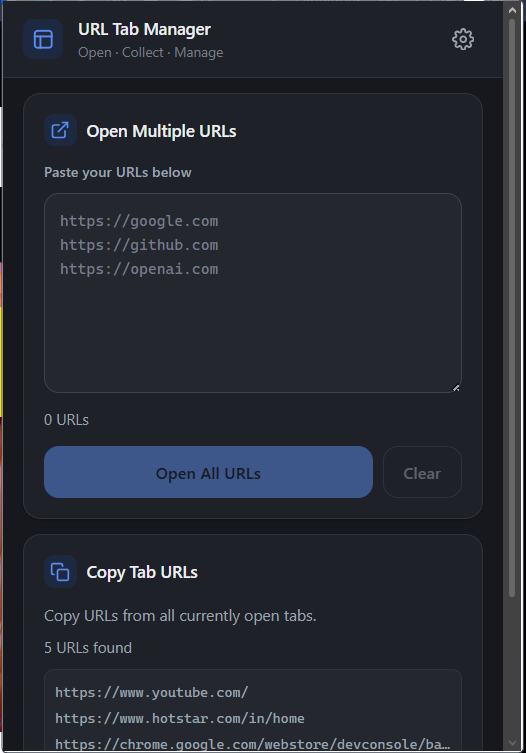
Open & Collect Interface
Instant live counters, quick action buttons, and preview of currently open tabs.
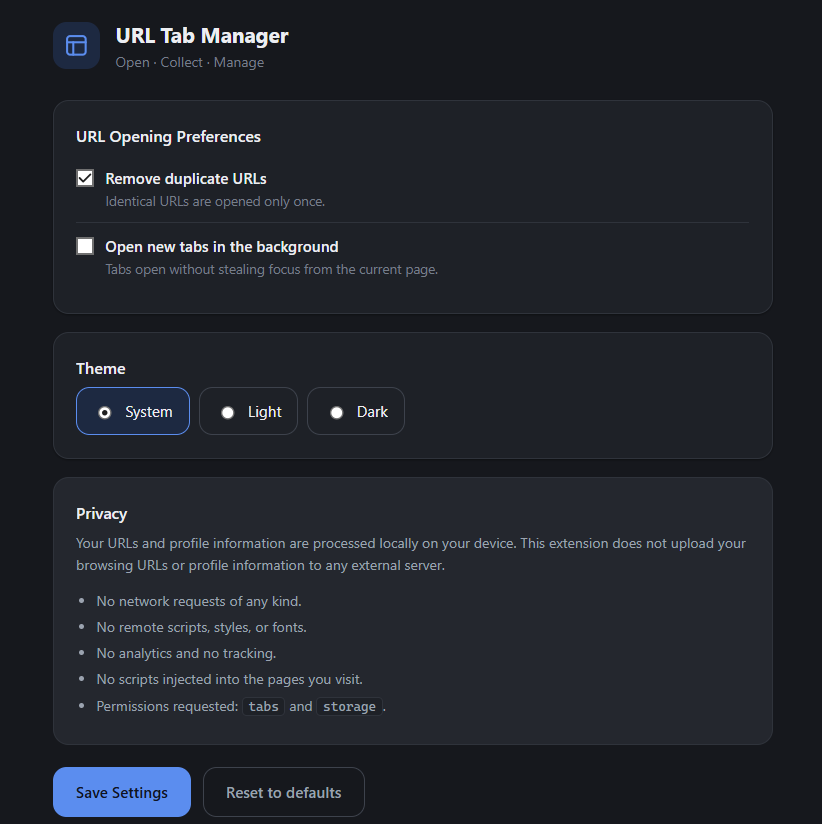
Preferences & Privacy Panel
Toggle duplicate filtering, background tab focus, system/light/dark themes, and review security permissions.
Engineered for Clarity & Delight
Every icon, typography choice, and color token has been curated to match modern browser aesthetics. Lightweight, accessible, and high contrast in both dark and light environments.
Built for Daily Tab Productivity
Everything you need to streamline tab multitasking without any unnecessary weight or complexity.
Multi-Format URL Parsing
Accepts URLs separated by newlines, commas, or spaces. It validates syntax, isolates malformed links, and trims trailing junk.
All-Window Tab Harvester
Scans tabs across all active Chrome windows in their natural order and copies clean URLs directly to your clipboard.
100% Offline & Private
Zero backend servers. Zero analytics or tracking telemetry. Your URLs and profile data never leave your local machine.
High-Volume Batch Engine
Opening 100+ URLs? The extension yields smoothly between batches and shows live progress so Chrome never stutters.
Restricted Scheme Shield
Automatically flags and filters dangerous chrome:// and devtools:// schemes so your browser stays safe.
Adaptive Dark & Light Theme
Seamlessly adapts to your OS theme preference or lets you choose manual Light, Dark, or System modes in settings.
Install in 60 Seconds
Select your preferred browser below to view tailored step-by-step instructions. Works natively on all Chromium-based engines.
Get Extension Files
Download or clone the project directory to your computer. No compiling needed.
copy_open_all_url/
Open Extensions Tab
Open a new tab in Chrome and enter the extensions management URL.
chrome://extensions/
Toggle Developer Mode
Switch on the Developer mode toggle located at the top-right corner.
Developer mode → ON
Load Unpacked
Click Load unpacked and select the directory. Pin it to your toolbar!
Select build/ or root
Privacy & Security Architecture
Engineered from day one with strict zero-trust privacy boundaries.
- Zero Network Requests: No
fetch(),XHR, or WebSocket connections exist. - No Remote Code: All icons and scripts are locally bundled. Zero external CDN dependencies.
- No Content Script Injections: The extension never modifies or inspects webpage content.
- No DOM Injection Hazards: Sanitized with
textContent; noinnerHTMLoreval().
Transparent Permissions
Only the minimal essential Chrome APIs are requested:
| Permission | Purpose |
|---|---|
| tabs | Read tab URLs for copying; create tabs for opening. |
| storage | Persist user preferences and theme settings locally. |
* No <all_urls>, no webRequest, no cookies, no browsing history permissions.